Friday, May 13, 2011

// // 2 comments

New Search Engine By Indians !! ~ EqualO ~


EqualO , a newly launched search engine EqualO making indians proud accross the globe , because it is totally design and developed by Indian developers in india .


EqualO is a search engine which provides various extra features like Thumbshots, Email Link, Quick Look, Open in new window, Social media integration , Customization !! Which other search engine don't provide !

Now EqualO search is integrated with twitter and facebook , this is a major step towards making EqualO Search Engine global and more social.

EqualO provides Email link button using which you can directly mail that content to your friends !  It also provides Facebook,Twitter buttons from which you can post tht content on your Facebook Wall . Its very cool think first time i came across :)


It provides many other search like MP3,PDF,Presentation,Travel,Wiki,Video search etc . . Also it provides search in various languages like English,Spanish,French,German etc.. also you can limit your search by country selection !

Quick Look Button is one of the best feature of EqualO ! Which will allow the user to see the result web page without changing the browser page location.

Suppose if you are searching for india and u clicked on "Quick Look" button then it will show results like this


It provides themes facility also ! you can set theme whichever suitable for you from upper right corner of window !

It also provides Unit conversion facility , Users will be able to convert one standard unit to another standard unit.


You can also use EqualO as calculator , Just enter any arithmetic operator like [+, -, * or /] and press enter ! you get your answers immediately


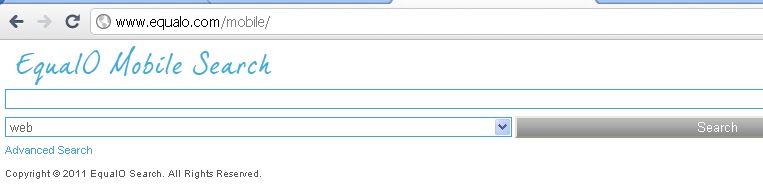
You can access EqualO search engine using your Mobile Phones also , just visit http://m.equalo.com

EqualO.com Search Engine has been awarded the Venture Worthy Gold Award.


Venture Worthy is an online system which helps venture capitalists, angel investors and angel groups to identify the real worth of the companies in which they plan to invest

I will be adding more and more updated features on my Blog so stay tuned to EqualO and enrich your search experience , till then you check out EqualO :) and don't forget to Bookmark :)

Here is the Link for EqualO Search Engine -  EqualO Search Engine


Proud to be an Indian :)

Thanks :)

Read More

Tuesday, May 10, 2011

// // Leave a Comment

back|track 5 Released !!

Hey hi

back|track 5 is released now !!


You can download it from Link given Below :-


Download Link : - Back Track 5


BackTrack 5 comes in several flavors and architectures.  The different Options which are Provided for 


Downloading are :-


Get your Copy soon and start Working !!

Thanks :)
Read More
// // Leave a Comment

1 Million Serial Keys for Free !!

Hey hi . .


Here i am sharing some of the Serial keys which i have . .
Some of them will work and some of them will not :)
Try it :)

Download : 1 Million Serial Keys
Password : techinsect

Thanks :)
Read More

Friday, May 6, 2011

// // Leave a Comment

Osama Shoot Down Video : New Facebook Spam


A new spam “Osama Dead – Censored Video Leaked” is spreading on Facebook. Don’t click any such link. By clicking on any such link you will allow that malicious application to access your information and that will in turn allow it to post the same link to all your friends wall


Its just a fake application and no such video exists. These type of applications use attractive title just to incite people to click on it.


Obviously the (non-existant) video is fake. We still don’t have the picture of shot Osama, forget about the video of it! As I mentioned before, there are other forms of this viral video spam and you should be slapping yourself if you fall for it.


Behind the success is how quickly such links can be disseminated, "the implied trust of social network contacts" and the "prevalence of shortened URLs," the company says.
"We were especially concerned about the potential distribution of malware on social networks, because of their speed of propagation," says Kaspersky Lab expert Vicente Diaz on a company blog. " So we have been monitoring Twitter, getting some million tweets and a huge number of URLs too. No surprise here as when the news was announced there were 3500+ tweets per second.
"We urge you to be very careful to avoid these scams." Also, make sure you don’t click the short URL’s on twitter blindly.
How To Remove BINLADEN Spam :-  just dont respond for a malspicious message like this  

when a message or a alert that force you to "copy this code" paste this code in to your adres bar something like that just ignore those things and if u can please report it to facebook as "spam" few reports from gnunine users may result in deletion
Spammer's Benifit :- So the spamer is earning from 4000$ to 5000$ is aproxmate value this will be more from how many visits adding to this spam..

This spam is same as that of wat we see earlier like "profile peeks" and "check recent visitors her"


I have Source code of that Spam Application . . So if anyone wants then just drop me mail !
Thanks and be Alert :)

Read More

Monday, May 2, 2011

// // 3 comments

How to Remove Facebook Ads


Day by day Facebook is becoming commercial by putting lots of ads in header and footer section of homepage So are you a Frustrated FB user ? Don't worry at all . . Here is the solution for your frustration :)

You might be seeing your Homepage like this


Tip : Don't use any Third Party Facebook Application . . Because of that also you can Face to FB Ads . When you switch to https then it will block unauthorized applications and will ask you to switch to http connection. Better is to use https connection always and never use any unauthorized FB application

Previously if you have used Facebook App and if you are getting Ads then try this

Just follow the steps :-


1) Login to your Facebook account
2) Go to Account >> Account Setting 
3) Under settings tab you can see option of  " Account Security " . Click on " change "
4) Now Tick the first option that is "  Browse Facebook on a secure connection (https) whenever possible "


5) Click on " Save "
6) Now go to your Homepage and check whether still it is showing ads or not !! 

For 50% of the users this should Work.

Thanks :)

Read More

Saturday, April 30, 2011

// // Leave a Comment

Computer Virus


Computer Virus

Computer viruses are programs written by "mean" people to achieve some Goal ! A computer virus is a program which reproduces itself. 


What Is a Basically Virus mean?


A computer virus is a destructive computer program written to alter the way a computer operates. A computer virus is a contagious and passes through networked and shared media, such as floppy disk and CD-ROMs and Pen Drives!!

A virus is a program written by individual who take pleasure in causing damage to computers and the data stored in them. Upon infecting a computer, viruses copy
Malicious program code into files and multiply rapidly in size. They
are capable of renaming files in a computer so that the programs no longer run. They
can also overwrite, corrupt, or delete files in a computer, rendering a computer useless.

Some viruses are programmed or written only to damage systems files and even format the hard disk.

A virus, if detected can cause serious damage to data on the computer. If the computer is on network, the virus will infect other computers. Sometimes, data on the infected computers is lost and cannot be retrieved. For companies dependent on the data,
this can even lead to serious financial loss. Some examples of such viruses are Disk Killer, W97M, Cascade, Autorun, Anna Kournikova and Lovegate


How Virus is spread?


The Virus begin to work and spread when you start up the program or application of which the virus is present . The virus may be programmed to attach to other applications, disks or folders. It may infect a network if given the opportunity


Antivirus Software


Its is nothing but the software which is designed to protect your System against Virus You can protect your hard disk from a virus attack by using antivirus software. Antivirus
software is software that scans the computer’s hard disk to detect viruses. If any virus is around software removes it from computer. A number of antivirus program are available in the market. Some of them are:

• McAfee
• Quick Heal
• Smart dog


Why Antivirus Software is Required to Update?


New viruses are created every day, which multiply through the internet and infected
networks. Therefore, you need you update your antivirus software on a regular basis.


How To Prevent your System from Virus Attack?


Here are some precautions that you can follow to keep your computer free from viruses:

* Scan all floppy disk before copying or opening files.

* Install at least one antivirus program on your computer and use it regularly to check for
   viruses.

* Update your antivirus program regularly to protect your computer from new viruses.

* Make backup copies of important files regularly, so that the damage is minimized if a    
virus attack does occur.


As every new breed of virus is conceived, created and released into the wild, another small change is made to the anti-virus software to combat the new threat


Author : Pratik Nikam
Thanks :)


Read More

Thursday, April 28, 2011

// // Leave a Comment

How to Set Auto-response for Facebook,Gmail,Yahoo etc . .


There are lots of Messengers available , my favourite one is Digsby . My many friends have asked me that how do they get Auto Response when they send some IM ! So here is the Solution for it !

Firstly you will need to download Digsby Software . It s IM software which allows you to login to various accounts like Gtalk, Yahoo , Facebook , AIM , Live , Twitter , MySpace etc . .

Here is the Download link for Digsby :  Download Digsby

Now just Follow Steps :-

1) Open Digsby

If you are already Digsby member then directly jump to step 5

2) Now you will have to create 1 Digsby Account which you will use for Digsby.
3) Now Go to  Digsby >> My Accounts  . . Here add your account (FB,Gmail,Yahoo) username and passwords and say "Save"
4) Now your User Names are Paswords are with Digsby , so you will not need to enter it everytime . What you will need is just Digsby acount Username & Password

5) Now go to Digsby >> My Status >> " Away "


6) Now change "Away" with whatever you want !


7) Go to Tools >> Preferences >> Status >> Tick on " Auto-Response with Status Message "
  
8) Now autoresponse will be activated

9) If any one sends you IM then it will look like this ( i am showing you for FB , same is the case with others )


I hope you like it :)

Thanks :)
Read More